
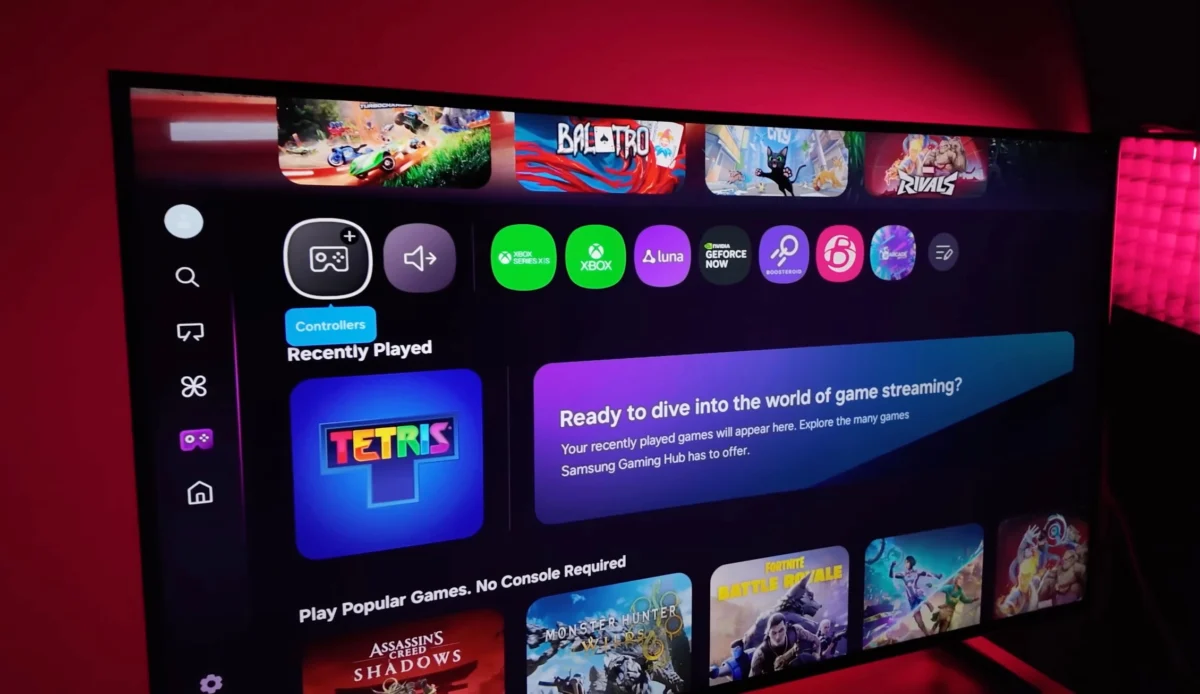
The landscape of home entertainment is undergoing a fundamental transformation as Samsung Electronics shifts its television software strategy to mirror the rigorous update cycles previously reserved for the smartphone industry. This transition marks a significant departure from the traditional "hardware-first" approach that has dominated the television market for decades. By integrating the Tizen operating system more closely with the One UI design language and committing to a seven-year support window, Samsung is attempting to solve one of the most persistent issues in the smart TV sector: software obsolescence. As the company rolls out Tizen OS 9.0 to its 2023 and 2024 lineups, the implications for consumer longevity, ecosystem integration, and technical stability have become central topics for both industry analysts and end-users.
The Shift Toward a Unified Ecosystem Strategy
For years, the software experience on smart televisions was often secondary to panel technology and hardware specifications. However, the rise of streaming services, cloud gaming, and smart home integration has turned the TV into the central hub of the modern household. Recognizing this, Samsung has begun treating Tizen OS not merely as a firmware layer for media playback, but as a robust platform that requires consistent refinement.
The introduction of "One UI for TV" represents the visual manifestation of this strategy. By bringing the aesthetics and functional logic of Galaxy smartphones to the big screen, Samsung aims to reduce the learning curve for users within its ecosystem. This unification includes standardized iconography, a streamlined "Quick Panel" for settings, and a more intuitive notification system that can sync across devices. The goal is to create a seamless transition for a user moving from a Galaxy S24 Ultra to a Neo QLED 8K display, ensuring that the software experience feels familiar regardless of the hardware.
The Seven-Year Software Commitment: A New Industry Benchmark
One of the most significant announcements in recent Samsung history is the pledge to provide seven years of Tizen OS updates for its modern smart TV lineup. This move, initially announced during the company’s "AI TV" briefings, mirrors the support policy introduced for its flagship mobile devices. In an era where consumers are increasingly concerned about electronic waste and the longevity of high-ticket items, a seven-year guarantee provides a powerful incentive for brand loyalty.
This commitment addresses a major pain point: the "smart" features of a television often become sluggish or unsupported long before the physical display panel fails. By promising nearly a decade of updates, Samsung is essentially ensuring that a premium TV purchased in 2024 will remain functionally relevant through 2031. This support includes not only security patches but also major version upgrades that bring new features, app compatibility, and performance optimizations.
Chronology of Tizen OS Evolution and Current Rollout Status
The journey of Tizen OS from a mobile experiment to a dominant TV platform has been marked by several key milestones. Understanding this timeline is essential for context regarding the current Tizen 9.0 rollout.
- 2015: Samsung transitions its entire smart TV lineup to Tizen OS, replacing the previous "Samsung Smart Hub."
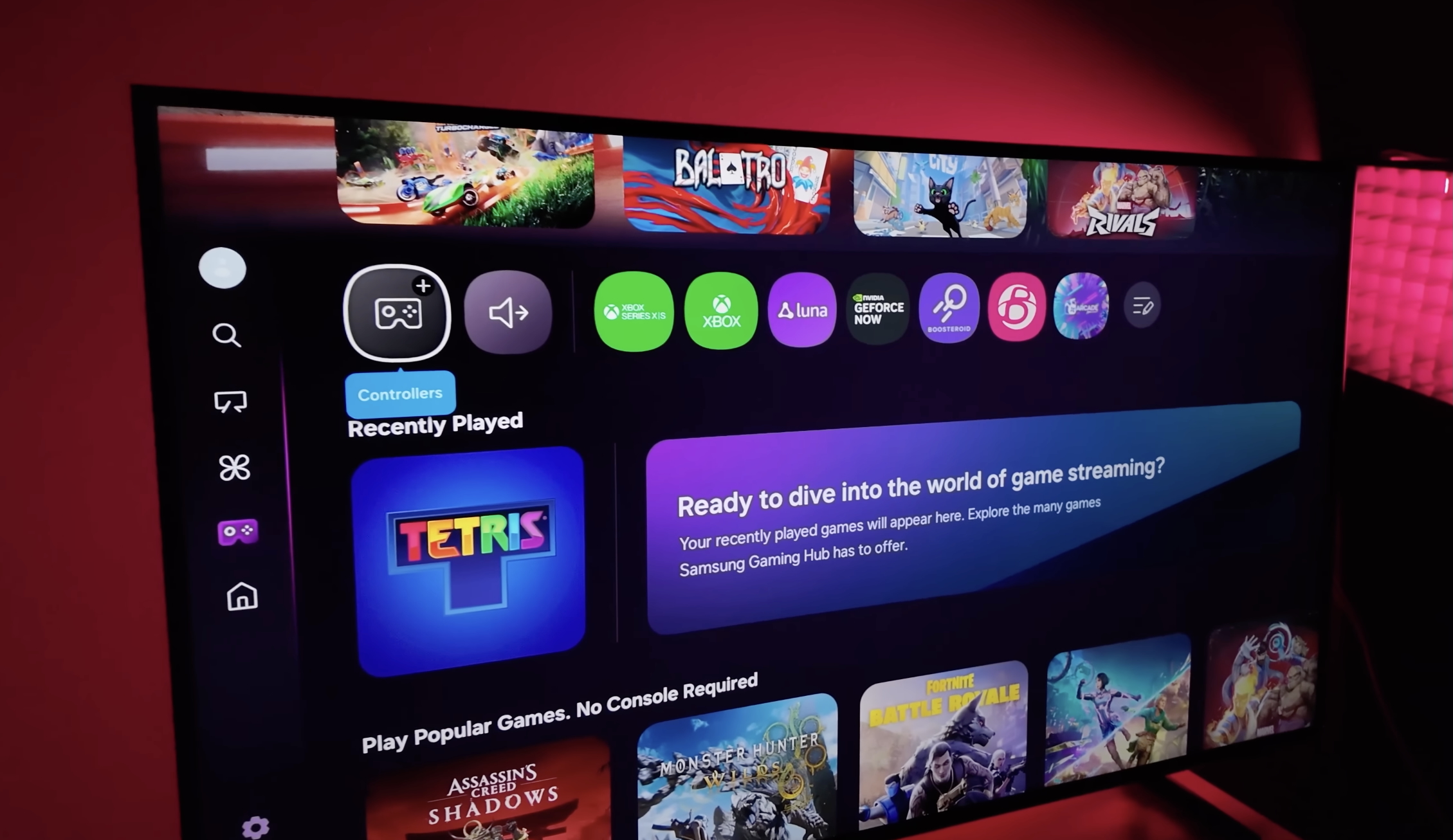
- 2022: The introduction of the Samsung Gaming Hub, integrating cloud services like Xbox and NVIDIA GeForce NOW directly into the TV software.
- 2023: Samsung begins emphasizing AI-driven upscaling and energy management features within the Tizen interface.
- Late 2024: The rollout of Tizen OS 9.0 begins for select 2023 and 2024 models, introducing the first major One UI-inspired interface changes.
- 2025 (Projected): Expansion of Tizen 9.0 to mid-range models and the introduction of more sophisticated SmartThings integration.
- 2026: Anticipated debut of Tizen OS 10.0, expected to launch alongside the 2026 flagship lineup before trickling down to older supported models.
Currently, the deployment of Tizen 9.0 is the primary focus. This update brings a redesigned Home Screen, the "Daily+" service for lifestyle management, and improved connectivity with Samsung Galaxy Buds and watches.
Technical Challenges and the "Early Adopter" Risk
Despite the ambitious roadmap, the transition to a high-frequency update cycle has not been without its hurdles. Unlike smartphones, which are frequently rebooted and have highly standardized hardware configurations, televisions operate under different technical constraints. They are often left in "standby" mode for weeks at a time, and their internal storage and processing capabilities vary significantly across different price tiers.
The rollout of Tizen 9.0 encountered specific challenges, most notably reported bugs involving third-party applications like YouTube. Some users reported playback stuttering or interface freezes shortly after the update. While Samsung has been quick to issue patches, these incidents highlight a fundamental truth of the TV industry: the stakes for firmware stability are exceptionally high.
A malfunctioning phone can be easily brought to a service center or replaced via mail. A 75-inch television, however, is a permanent fixture in a home. If a software update "bricks" the device or causes a major feature to fail, the logistics of repair are significantly more complex and costly. This has led many enthusiasts to adopt a more cautious approach to firmware updates, opting to wait for community feedback before installing the latest version.
Managing Your Device: How to Control Automatic Updates
Given the potential for initial bugs in new software versions, Samsung provides users with the ability to manage how and when their televisions receive updates. For users who prioritize stability over having the latest features immediately, disabling automatic updates is a recommended strategy.
To manage these settings, users must navigate through the following path on their Samsung Smart TV:
- Press the Settings button on the remote.
- Select All Settings.
- Navigate to the Support tab.
- Select Software Update.
- Toggle the Auto Update switch to the "OFF" position.
When "Auto Update" is disabled, the TV will notify the user when a new version is available but will not download or install it without manual confirmation. This allows the user to check online forums or official patch notes to ensure the update is stable. Conversely, for those who want the latest security patches and features without manual intervention, keeping this setting "ON" ensures the device remains current.
Analysis of Broader Market Implications
Samsung’s aggressive software strategy is a direct response to the shifting competitive landscape. Competitors like LG, with its webOS, have also begun offering multi-year update guarantees (the "webOS Re:New" program). Meanwhile, the presence of Google TV and Roku in the market has commoditized the smart TV interface, forcing premium manufacturers to differentiate through proprietary features and ecosystem "lock-in."
By providing a seven-year update cycle, Samsung is also bolstering the resale value of its televisions. A used TV that is guaranteed to receive the latest apps and security features for several more years is a much more attractive proposition in the second-hand market. Furthermore, this strategy allows Samsung to continue generating revenue long after the initial hardware sale through its Samsung TV Plus service and integrated advertising, both of which rely on a modern, functional software platform.
Official Responses and Quality Assurance Measures
While Samsung does not typically comment on individual bug reports in the media, the company has reinforced its commitment to quality through its "SmartThings" diagnostic tools. Samsung’s technical support teams have noted that many "software issues" reported by users are often linked to network stability or the need for a "cold boot" (unplugging the TV from power for 30 seconds) after a major firmware installation.
To mitigate future rollout issues, Samsung has reportedly expanded its internal beta testing programs. The company is also utilizing AI to monitor telemetry data from opted-in devices to identify and fix crashes in real-time. This proactive approach is essential as the complexity of Tizen OS continues to grow with the addition of more sophisticated AI features and cross-device synchronization.
Future Outlook: The Road to Tizen 10 and Beyond
Looking ahead, the focus will shift toward Tizen OS 10.0, expected to arrive in 2026. Industry insiders suggest that this version will lean even more heavily into Artificial Intelligence, using the Neural Processing Units (NPUs) found in newer Samsung processors to provide more personalized content recommendations and automated picture calibration.
The success of Samsung’s new software paradigm will ultimately depend on its ability to balance innovation with reliability. If the company can deliver on its seven-year promise without compromising the day-to-day stability of the viewing experience, it will set a new standard for the consumer electronics industry. For now, users are encouraged to stay informed about the specific features of each Tizen version and to use the manual update controls to tailor their experience to their personal risk tolerance.
As televisions evolve from simple displays into sophisticated computing platforms, the line between "hardware company" and "software company" continues to blur. Samsung’s current trajectory suggests that in the near future, the software version of your TV will be just as important as the resolution of its screen.